Tasks
A task is just a regular Python function decorated with the task decorator,
the functions can be also async, Plombery will take care of everything:
Tasks belong to a pipeline, and the simplest way to declare both is the
Pipeline context manager, which collects every task defined inside it:
with Pipeline(id="my_pipeline") as pipeline:
  @task
  def sync_task():
    pass

  @task
  async def async_task(sync_task):
    pass

  sync_task >> async_task
Listing tasks is not enough to order them
Tasks with no >> between them are independent and run at the same time.
See Pipelines for how the graph is declared.
What a task receives
A task declares what it needs as function arguments, and Plombery supplies each one — nothing is global. Every argument is optional; a task takes only what it uses.
| Argument | Matched by | Receives |
|---|---|---|
annotated with Context |
type | the run's context |
annotated with a BaseSecrets subclass |
type | an injected, validated secrets instance |
named params |
name | the pipeline's input parameters |
| anything else | name (an upstream task's id) or OutputOf |
that task's output |
The injected arguments — the context and secrets — are matched by their type,
so they can be named anything. params is matched by name.
Context
An argument annotated with Context receives the run's context, which exposes
a logger already bound to the run:
The argument can have any name — it's matched by its Context type. An
argument named context or ctx also receives it even without the
annotation.
ctx.logger is the same logger as get_logger(); use whichever
reads better.
Input parameters
If the pipeline declares input parameters:
then the task function will receive those input parameters
via the params argument:
Output data
The return value of a task is its output data, and it is passed to the tasks downstream of it. A task receives that data by declaring an argument named after the upstream task:
with Pipeline(id="my_pipeline"):
  @task
  def extract():
    return 1

  @task
  def transform(extract):
    # extract = 1, the return value of the `extract` task
    return extract + 1

  @task
  def load(extract, transform):
    # extract = 1, transform = 2
    return extract + transform

  extract >> transform >> load
  extract >> load
Argument names are meaningful
An argument is resolved by name, not by position: def transform(extract)
works because there is an upstream task whose ID is extract. Renaming the
argument, or forgetting to declare the dependency with >>, means the task
won't receive the data.
To free the argument from having to match the task's name, use
OutputOf instead.
An argument that doesn't name an upstream task and declares a default value is treated as a plain argument of the function, and keeps its default:
@task
def transform(extract, factor=10):
  # factor is not a task, so it keeps its default value
  return extract * factor
Gathering the output of a mapped task
When a task is downstream of a fan-out task but is not mapped itself, it receives the output of every instance as a list, ordered by map index:
with Pipeline(id="fan_in"):
  @task
  def get_ids():
    return [1, 2, 3]

  @task(mapping_mode=MappingMode.FAN_OUT, map_upstream_id="get_ids")
  def fetch(get_ids):
    return get_ids * 10

  @task
  def summarize(fetch):
    # fetch = [10, 20, 30]
    return sum(fetch)

  get_ids >> fetch >> summarize
Secrets
A task that needs a credential — a database password, an API key — declares
it with BaseSecrets rather than reading it with a plain os.getenv. See
Secrets for how to declare and use one.
Logging
Plombery collects automatically pipelines logs and shows them on the UI:
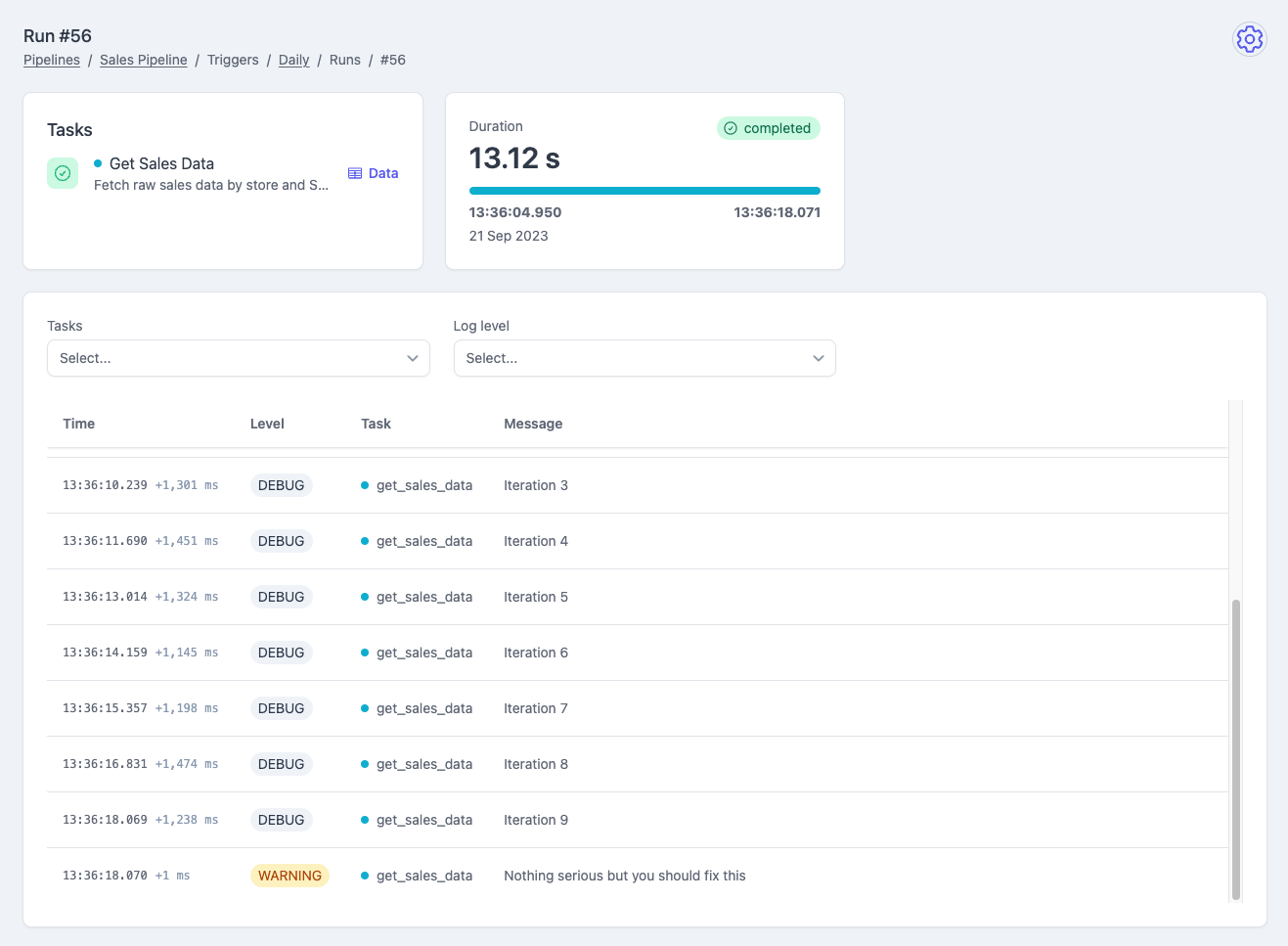
To use this feature, you need to use a plombery's logger simply calling
the get_logger function: